New Viral AI Car Video: Create a Cinematic Car Video Using Google Flow
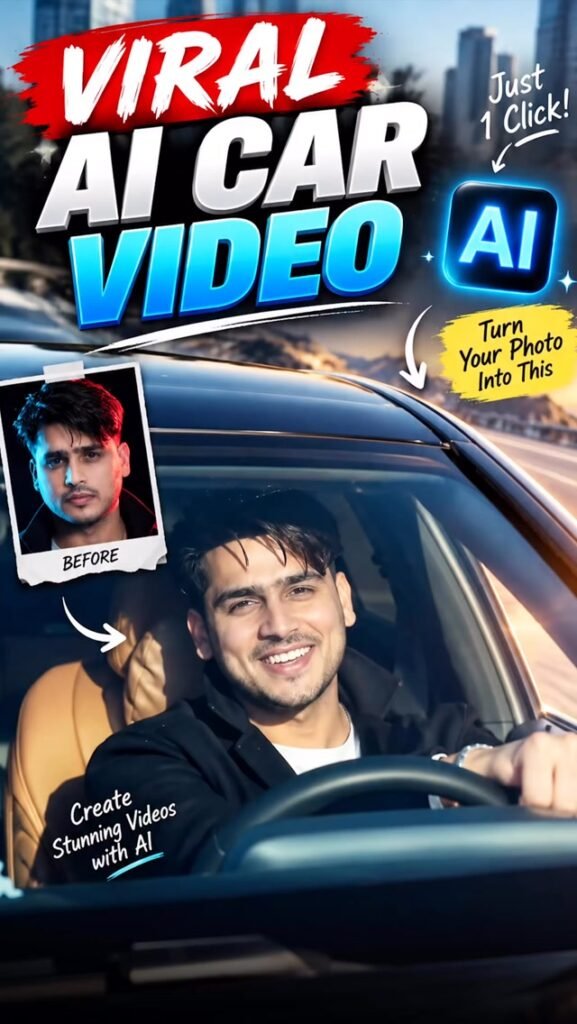
Cinematic car videos are becoming very popular on Instagram. These videos feature stylish cars, dramatic camera movements, and professional-looking scenes.
Now, you can also try creating your own AI Car Video using Google Flow. You can use your photo and a reference car video to create a similar cinematic experience with AI.
You do not need advanced video editing skills. Just upload your photo, add a reference video, and use the right prompt.
In this guide, you will learn how to create the New Viral AI Car Video step by step.
New Viral AI Car Video Prompt
Prompt
Generate a motion-controlled video using the uploaded image as the character reference and the uploaded video as the style and motion reference. Preserve the character’s exact identity, appearance, and key visual details while accurately replicating the reference video’s motion, style, camera movement, and overall visual dynamics.
How to Create the Viral AI Car Video Using Google Flow
Follow these simple steps to create your cinematic car video.
Step 1: Open Google Flow
First, open Google Flow on your browser and sign in using your Google account.
Start a new project and check which video generation features are available in your account.
Step 2: Upload Your Photo
Upload a clear, high-quality photo of yourself.
For better results, choose a picture where your face is clearly visible. Avoid blurry or very dark photos.
Step 3: Upload the Reference Car Video
Now, upload the viral car video you want to use as a reference, if your selected Google Flow workflow supports reference video uploads.
The reference can help guide the camera movement, car action, composition, and overall visual style.
Step 4: Add the AI Prompt
Copy your complete AI Car Video prompt from the section above.
Paste it into Google Flow along with your uploaded reference files.
Make sure your instructions clearly explain the type of car scene and cinematic look you want.
Step 5: Generate Your Video
After adding your photo, reference video, and prompt, click the Generate button.
Wait for Google Flow to process your request and create the video.
Step 6: Choose the Best Result
Watch the generated video carefully.
If the first result is not perfect, try generating another version with the same prompt. You may get different camera movements, framing, and expressions in each generation.
Step 7: Prepare Your Video for Instagram
Once you are happy with the result, prepare it for Instagram Reels.
Choose a vertical 9:16 format if available, and check that the person and car are clearly visible in the frame.
What Makes the AI Car Video Trend Special?
This trend turns a normal photo into a cinematic video featuring a stylish car and professional-looking camera movements.
Here are some details that can make your video look impressive:
- Cinematic car shots: Create stylish scenes featuring a luxury or sports car.
- Dynamic camera movement: Add smooth tracking shots and dramatic camera angles.
- Realistic environments: Use roads, highways, city streets, or other locations.
- Natural movement: Create believable walking, driving, and interaction scenes.
- Professional lighting: Add cinematic shadows and realistic reflections.
- Personal appearance: Use your photo as a visual reference for the main subject.
The final result depends on your reference files, prompt, and the video generation features available.
Tips to Get Better AI Car Video Results
Follow these tips to improve your video generation.
1. Use a Clear Photo
Upload a high-quality photo where your face and appearance are easy to recognise.
2. Choose a Good Reference Video
Select a reference video with clear car movements, camera angles, and scene composition.
3. Explain the Camera Movement
Your prompt should clearly describe how the camera should move around the car and subject.
4. Keep the Scene Realistic
Ask for natural body movements, realistic car proportions, and believable road environments.
5. Check Your Face
AI may change facial details during video generation. Review the final video to make sure your appearance looks right.
6. Generate Multiple Versions
Do not depend on the first result. Try multiple generations and compare the camera movement, car details, and overall quality.
7. Avoid Too Many Actions
A short video with a few clear actions can be easier to generate naturally than a scene with too many movements.
Can You Create an AI Car Video for Free?
You may be able to try this trend using Google Flow’s available free access, depending on your account and current usage limits.
Free credits, generation limits, and available features can change over time. Check your account before starting, as some options may require paid access.
Frequently Asked Questions (FAQs)
1. What is the New Viral AI Car Video Trend?
It is an AI video trend that transforms a normal photo into a cinematic car video with stylish vehicles, dramatic camera movements, and realistic scenes.
2. Can I create an AI car video using Google Flow?
Yes, you can use Google Flow’s available video generation features to create cinematic car videos using suitable prompts and reference files.
3. Do I need a reference car video?
A reference video can help guide the camera movement and visual style. Direct reference video upload depends on the features available in your Google Flow workflow.
4. Can I use my own photo?
Yes. You can upload your photo as a visual reference when the selected workflow supports it.
5. Can I create a luxury car video?
Yes. You can describe the type of car you want, such as a sports car, luxury sedan, or premium SUV.
6. Can I use the generated video on Instagram?
Yes. You can share your finished video on Instagram Reels. A vertical 9:16 format is suitable for Reels.
Final Words
The New Viral AI Car Video trend is a creative way to turn your normal photo into a cinematic video. With Google Flow, a suitable reference video, and the right prompt, you can experiment with luxury cars, dramatic camera movements, and realistic environments.
Follow the steps above, try different generations, and create your own cinematic car video! 🚗🎬