Viral Diwali Fireworks Transition: Create a Cinematic AI Video Using Google Flow
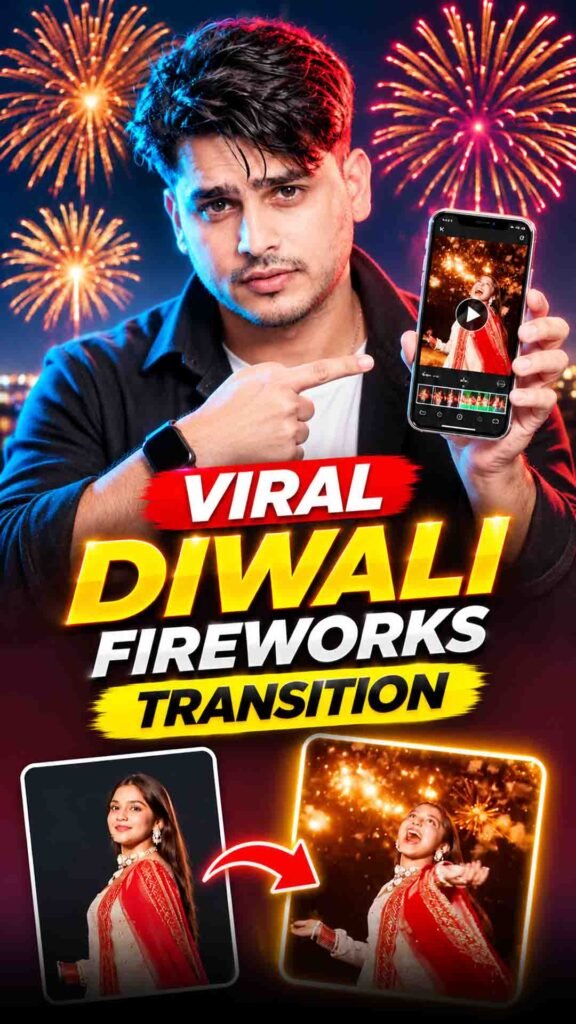
A new Diwali video trend is going viral on Instagram! 🔥 This trend turns your normal photos into a beautiful cinematic video with stunning fireworks and festive effects.
The best part is that you can try creating this video using Google Flow. You just need your photo and the right prompt to create your own Diwali fireworks transition.
In this guide, you will learn how to create the Viral Diwali Fireworks Transition step by step.
Viral Diwali Fireworks Transition Prompt 🪔
Prompt
ASPECT RATIO: 9:16 VERTICAL. Here is a highly detailed, comprehensive description of the video, broken down into its visual phases, technical aspects, and minor details. This can be used as a master prompt for video generation or a thorough analysis. Perspective & Angle: The video is shot from a distinct low-angle perspective, looking directly up at the subject. The camera is held in portrait mode, but the footage is rotated 90 degrees counter-clockwise (the horizon is vertical, and the subject appears horizontal in the frame). Vibe & Theme: A festive, cinematic Diwali transition video capturing the contrast between a calm evening and a vibrant, explosive fireworks celebration. Setting: An outdoor urban rooftop or open plaza at night, surrounded by tall city buildings with illuminated windows. (00:00 – 00:02): Subject: A young woman with long, dark, wavy hair. She has a warm, glowing complexion and is wearing subtle makeup. Attire: She is wearing a traditional/semi-traditional Indian outfit. It consists of a mauve/dusty rose colored dress (anarkali or similar flowy silhouette) featuring a bodice with a bold white floral print. A matching sheer, lightweight dupatta (scarf) with a delicate border is draped over her shoulders. Pose & Action: She is looking down toward the low-angle camera with a soft, confident smile. Her right hand is raised, gently touching or brushing her hair. She then begins to pivot her body, initiating a slow, graceful spin away from the camera. Background: The sky is in the “blue hour” of twilight, showing a gradient of soft dusky blues and faint purples. City buildings with warm yellow window lights are visible in the periphery. Text Overlay: Elegant, white, italicized serif text floats in the upper center of the frame reading: “Save this for your diwali transition”. (00:03 – 00:04): Action: The woman completes the first half of her spin. Her back is now to the camera. As she turns, the sheer mauve dupatta catches the air and flares out dramatically, creating a large, sweeping, wing-like shape that briefly obscures the background. Lighting Shift: As the fabric sweeps across the frame, the environment instantly transitions from twilight to deep night. Background Details: The sky is now pitch black, illuminated by the first streaks of golden-orange fireworks shooting upward. The city lights in the background appear much brighter and sharper against the dark sky. A person in a yellow shirt is faintly visible on the far left edge. (00:05 – 00:07): Subject Action: The woman is mid-spin, now facing the camera again. Her head is tilted back slightly, looking down at the lens, and her hair is flying dynamically from the momentum of the spin. Fireworks & Atmosphere: The sky explodes with bright, neon-green fireworks. Thick, billowing white smoke trails from the fireworks crisscross the sky, creating a textured, cloudy backdrop. The green light casts a vibrant, ethereal glow over the entire scene, reflecting off the woman’s skin and the sheer fabric of her dress. Crowd Details: The low angle reveals the surrounding crowd. In the lower left, a man wearing a red t-shirt and a grey backpack is looking up, holding a smartphone to record the sky. At the top of the frame, another person in a light green shirt is also holding up a phone. (00:08 – 00:10): Subject Action: She continues her fluid spin. Her face is fully visible, illuminated by the flashing lights, wearing a joyful, awe-struck expression. The white floral pattern on her bodice stands out sharply against the dark, colorful background. Fireworks & Atmosphere: The color palette of the fireworks shifts dramatically to deep reds, magentas, and bright pinks. Massive, starburst-style fireworks explode high in the sky. The smoke is now thick and heavily tinted pink and purple by the explosions. Crowd Details: The man in the red shirt is still visible in the foreground. At the top left, a person in a dark, sparkly shirt is holding a phone, its bright screen clearly visible. The dynamic lighting creates high-contrast shadows and highlights on the subjects. (00:11 – 00:13): Subject Action: The woman completes her full 360-degree spin. Her back is to the camera once more. Her long dark hair whips around in a final, cinematic arc. She is now facing away from the camera, looking up at the grand finale of the fireworks display. Fireworks & Atmosphere: The sky is a chaotic, beautiful canvas of red, gold, and white streaks. Multiple rockets shoot upward simultaneously, leaving long, glittering trails. The smoke is dense, filling the upper atmosphere. Background Details: The city buildings at the bottom of the frame (which appear on the left due to the video rotation) are clearly visible, including one building with a lit sign that appears to read “VGA”. The crowd remains captivated, with multiple phones held up in the air, capturing the massive pyrotechnic display.
How to Create the Diwali Fireworks Transition Using Google Flow
Follow these simple steps to create your own festive AI video.
Step 1: Open Google Flow
Open Google Flow on your browser and sign in to your Google account.
Start a new project and check which video generation features are available in your account.
Step 2: Upload Your Photo
Choose a clear photo that you want to use for the Diwali fireworks transition.
For better results, use a high-quality photo where your face and body are clearly visible. Avoid blurry or dark images.
Step 3: Copy the Prompt
Copy your complete Diwali Fireworks Transition Prompt from the section above.
The prompt will guide AI on how to create the fireworks, festive atmosphere, visual effects, and transition.
Step 4: Paste the Prompt
Paste the copied prompt into Google Flow.
Make sure you have uploaded the correct photo and that your instructions match the video style you want.
Step 5: Click the Generate Button
Now click the Generate button and wait for Google Flow to create your video.
The generation time may vary depending on the video settings and available features.
Step 6: Check Your Final Video
Once the video is ready, watch it carefully.
Check the fireworks, transition, movement, lighting, and your appearance. If you are not happy with the result, adjust your instructions and generate another version.
Step 7: Share It on Instagram
After creating your video, you can share it on Instagram Reels, WhatsApp Status, or other social media platforms.
For Instagram Reels, choose a vertical 9:16 format if available.
What Is the Diwali Fireworks Transition Trend?
The Diwali Fireworks Transition is an AI video editing trend that combines normal photos with cinematic fireworks and festive visual effects.
Instead of creating the entire video manually, you can use AI to generate a creative transition based on your uploaded photo and instructions.
This trend can include:
- Beautiful Diwali fireworks in the sky.
- Glowing diyas and festive lights.
- Cinematic lighting and visual effects.
- Smooth photo-to-video transitions.
- A dreamy and colourful Diwali atmosphere.
- Realistic movement and festive backgrounds.
The final result can give your normal photo a completely different festive look.
Tips to Get a Better Diwali Fireworks Video
Follow these tips to improve your AI-generated video.
- Use a clear photo: A sharp image can help AI understand your appearance.
- Choose good lighting: Avoid very dark or blurry reference photos.
- Keep your face visible: Use a photo where your face is not hidden.
- Describe the transition clearly: Make sure your prompt explains the fireworks and movement you want.
- Use realistic effects: Ask for natural lighting, realistic fireworks, and smooth movement.
- Check the final result: AI may sometimes create strange movements or change facial details.
- Try different versions: Small changes to your instructions can produce different results.
Can You Create the Diwali Fireworks Transition for Free?
You may be able to try this trend for free, depending on the access and generation limits available in your Google Flow account.
Free usage, video generation limits, and available features can change. Check your account before starting, as some features may require paid access.
Frequently Asked Questions (FAQs)
1. What is the Viral Diwali Fireworks Transition?
It is an AI video trend that transforms normal photos into cinematic Diwali videos with fireworks, festive lighting, and creative transitions.
2. Can I create this video using Google Flow?
Yes, you can try creating a similar video using Google Flow’s available video generation features and a suitable prompt.
3. Do I need a photo to create this transition?
Yes, if you want the video to feature you, upload a clear photo as your visual reference.
4. Can I create this video for free?
Free access may be available, but it depends on your Google Flow account, usage limits, and current features.
5. Can I use this video on Instagram Reels?
Yes. You can share your finished video on Instagram Reels. A vertical 9:16 format is suitable for Reels.
6. Will AI keep my original face?
AI may try to follow your uploaded photo, but exact face preservation is not guaranteed. Always check your final video before sharing it.
Final Words
The Viral Diwali Fireworks Transition is a creative way to make your festive photos look more cinematic. With Google Flow, a clear photo, and the right prompt, you can experiment with beautiful fireworks, glowing lights, and smooth video transitions.
Try this trend and create your own Diwali video for Instagram! 🪔🎬